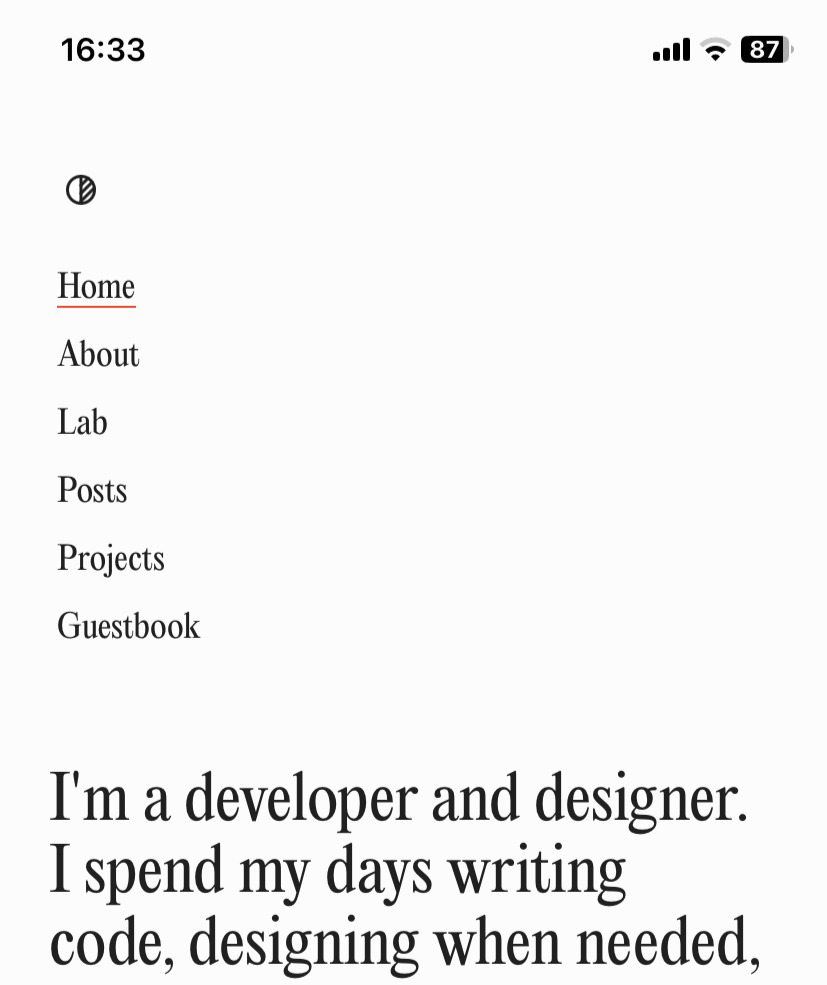
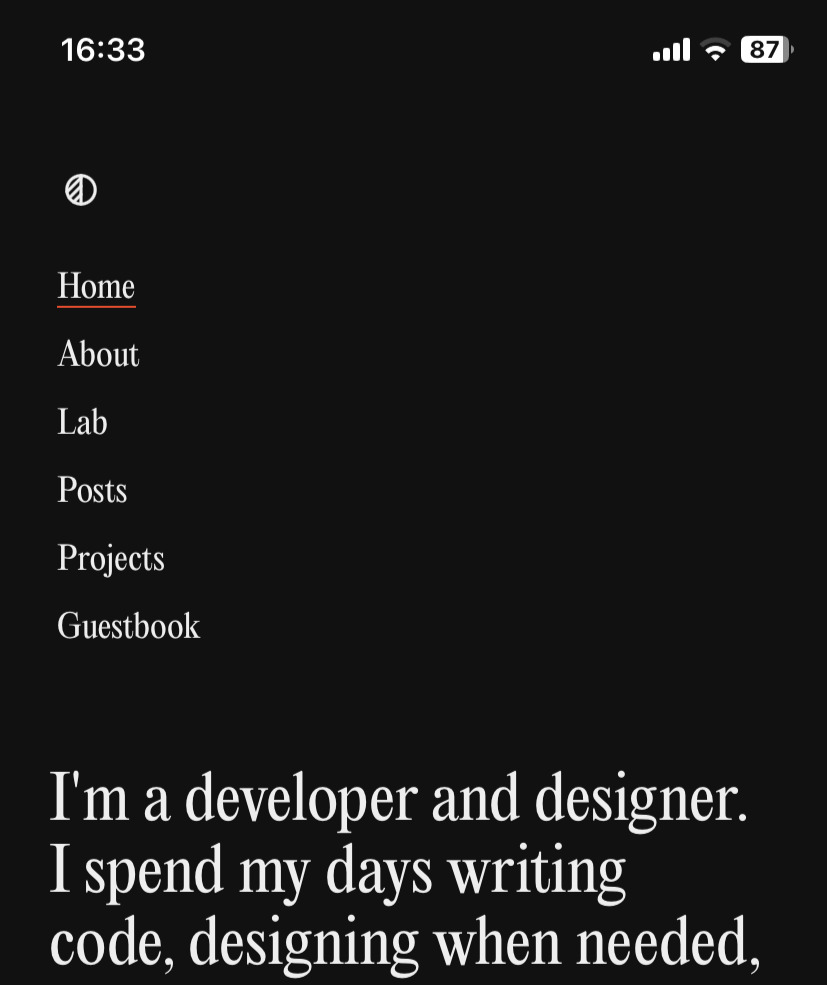
I have light and dark mode on this site, toggled by adding or removing a .dark class on <html>. The page content switches fine. But in Safari, the status bar area at the top stayed the wrong color until I did a full page refresh.
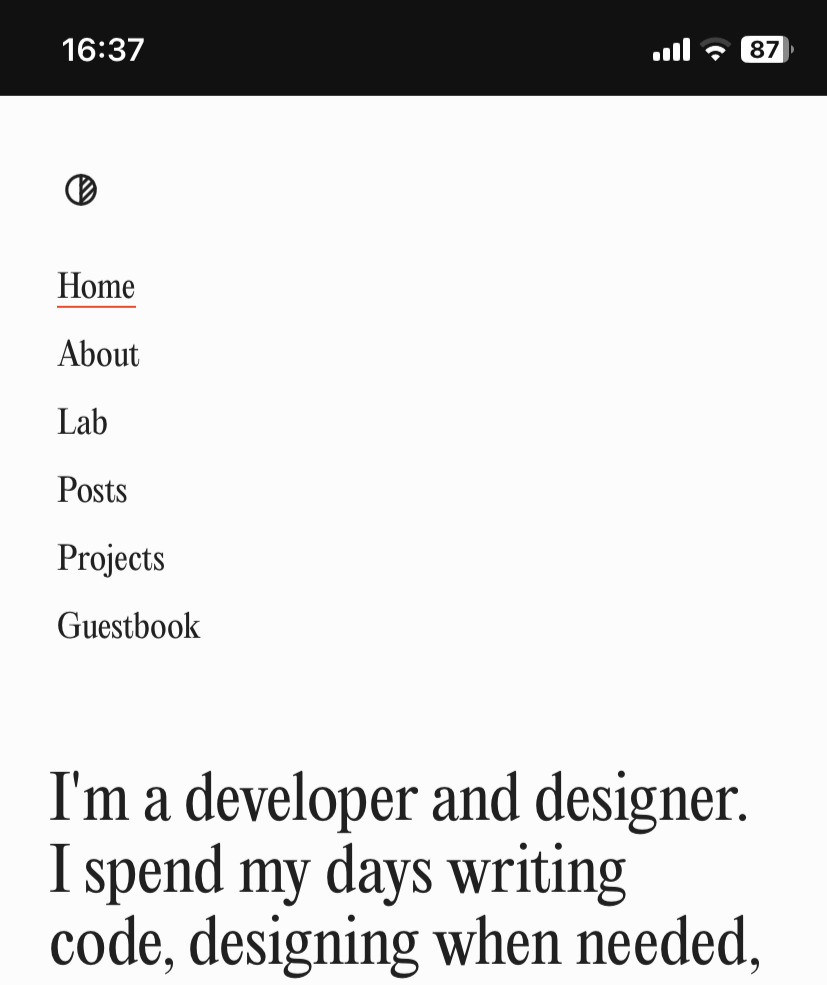
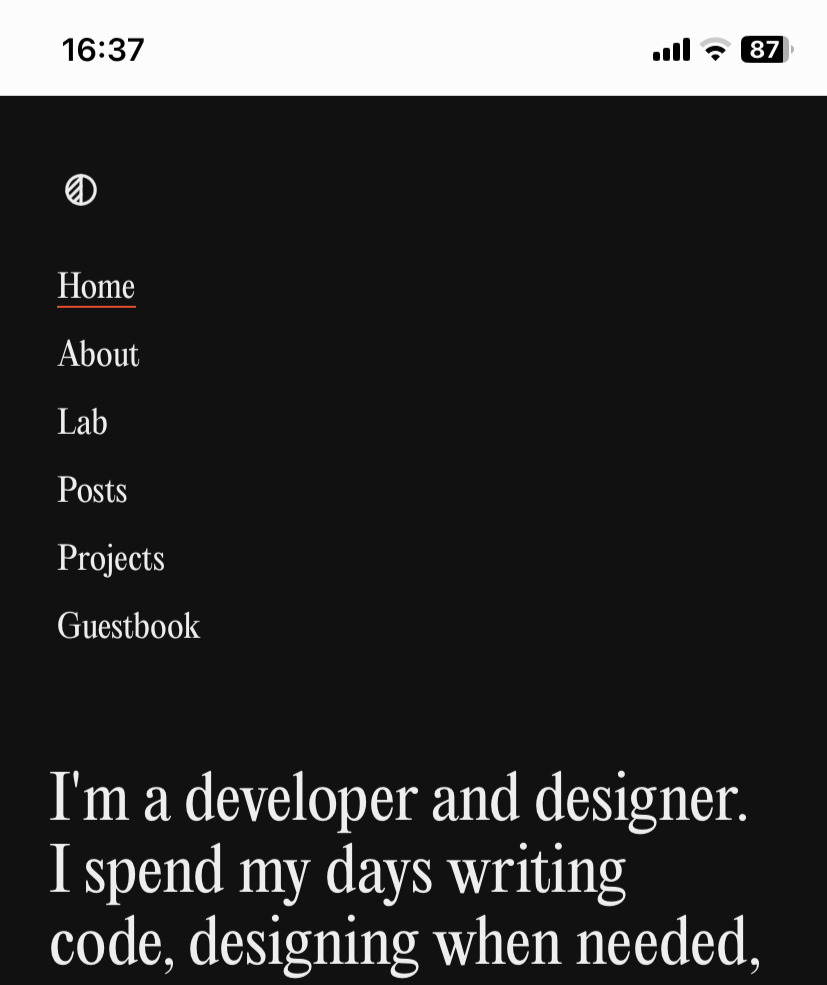
My first guess
My first instinct was color-scheme. You set it on <html> to tell the browser what color scheme the document is using, and I figured Safari would pick that up and repaint the status bar.
document.documentElement.style.colorScheme = "dark";It did nothing. After some digging I found that color-scheme affects things like form controls and scrollbars, not the status bar. Safari’s status bar color is tied to <meta name="theme-color">, which I didn’t have at all.
What actually fixed it
Safari reads theme-color on page load to set the status bar color. Without it, it falls back to the document background. Either way, it only reads it once and doesn’t react when you change CSS classes or custom properties later.
So the fix was to add the meta tag and then update its content attribute directly in JavaScript whenever the theme changes.
In the <head>:
<meta name="theme-color" content="#fcfcfc" />Then in the toggle handler:
const handleThemeChange = (newTheme) => {  const themeColorMeta = document.querySelector('meta[name="theme-color"]');
  if (newTheme === "dark") {    document.documentElement.classList.add("dark");    if (themeColorMeta) themeColorMeta.setAttribute("content", "#111111");  } else {    document.documentElement.classList.remove("dark");    if (themeColorMeta) themeColorMeta.setAttribute("content", "#fcfcfc");  }
  localStorage.setItem("theme-preference", newTheme);};
The color values are just my actual background colors for each mode. I’m using Radix UI colors, so --gray-1 is #fcfcfc in light and #111111 in dark.
I also updated the script that runs on page load to set the meta tag there too, so the initial state is always correct regardless of what’s stored in localStorage:
const theme = getThemePreference();const themeColorMeta = document.querySelector('meta[name="theme-color"]');
if (theme === "dark") {  document.documentElement.classList.add("dark");  if (themeColorMeta) themeColorMeta.setAttribute("content", "#111111");} else {  document.documentElement.classList.remove("dark");  if (themeColorMeta) themeColorMeta.setAttribute("content", "#fcfcfc");}
That fixed the toggle. Then it broke again…
The view transitions problem
I’m using Astro’s <ClientRouter /> for client-side navigation. After navigating between pages, the status bar color would reset to the default, and toggling the theme would stop working until a full refresh. Two separate bugs causing the same symptom.
The first: Astro’s view transitions swap in the new page’s <head> on navigation, which replaced my updated meta tag with the hardcoded default from the incoming document. I fixed this in the astro:before-swap handler. It fires before the DOM swap happens and gives you access to the incoming document, so I could patch the meta tag before it landed:
document.addEventListener("astro:before-swap", (event) => {  const theme = getThemePreference();  const newThemeColorMeta = event.newDocument.querySelector(    'meta[name="theme-color"]',  );
  if (theme === "dark") {    event.newDocument.documentElement.classList.add("dark");    if (newThemeColorMeta) newThemeColorMeta.setAttribute("content", "#111111");  } else {    event.newDocument.documentElement.classList.remove("dark");    if (newThemeColorMeta) newThemeColorMeta.setAttribute("content", "#fcfcfc");  }});
The second bug was a stale reference. I had queried the meta element once outside the toggle handler and reused that variable. After a navigation, the DOM swaps out and that reference points to an element that’s no longer in the document. The fix was to query it fresh inside the handler on every call:
// this breaks after navigationconst themeColorMeta = document.querySelector('meta[name="theme-color"]');const handleThemeChange = (newTheme) => {  themeColorMeta.setAttribute("content", "...");};
// query fresh every time insteadconst handleThemeChange = (newTheme) => {  const themeColorMeta = document.querySelector('meta[name="theme-color"]');  themeColorMeta?.setAttribute("content", "...");};
After both fixes: switching works, navigation works, switching after navigation works.